DocketIQ

DocketIQ turns an attorney's court and call notes into Clio tasks, time entries, future hearing calendar entries, and matter notes, ready after one review and one click. The planner feature allows you to add tasks to your calendar via focus time blocks to ensure you stay caught up.

In use at one law firm. Not open to new firms yet.
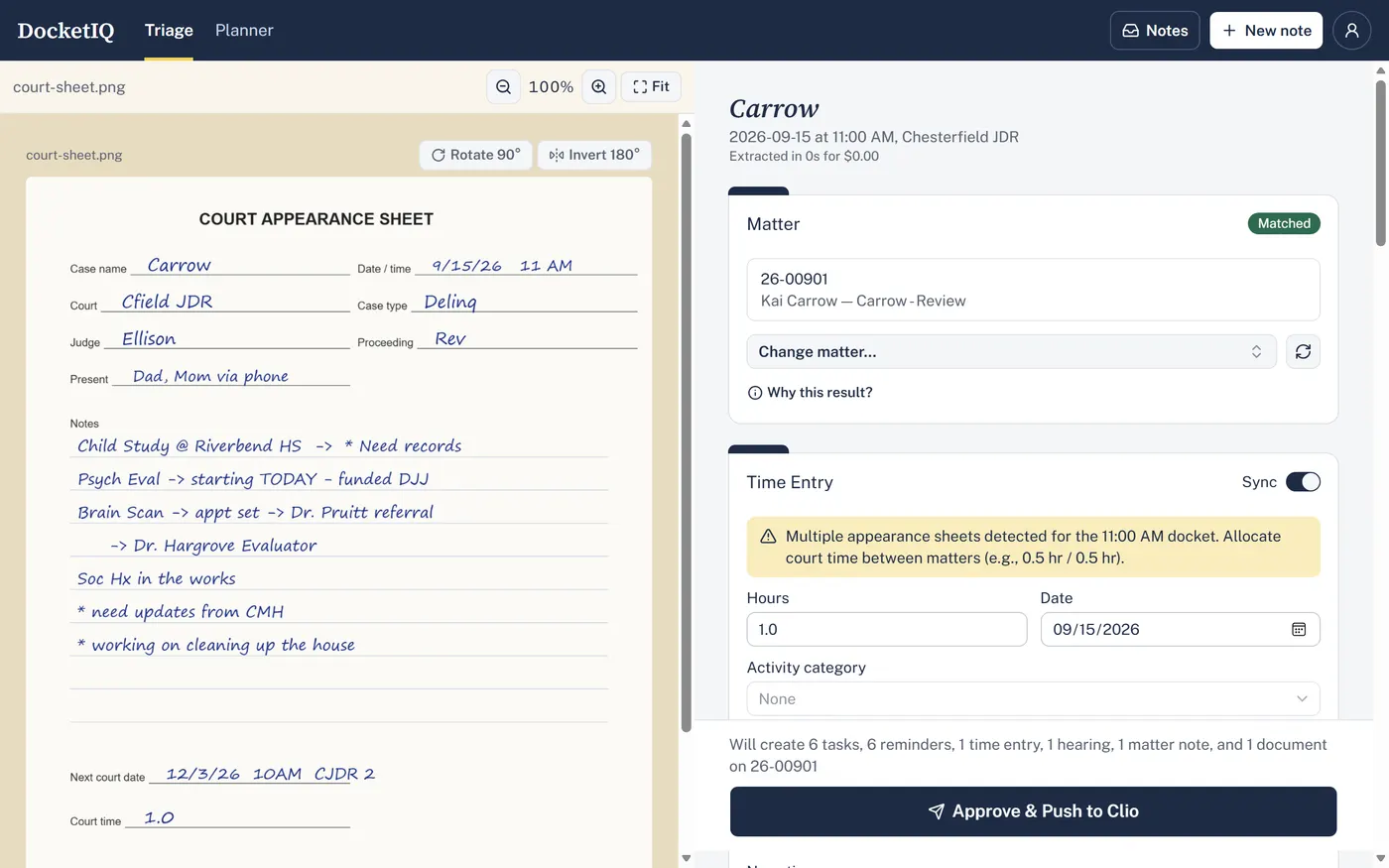
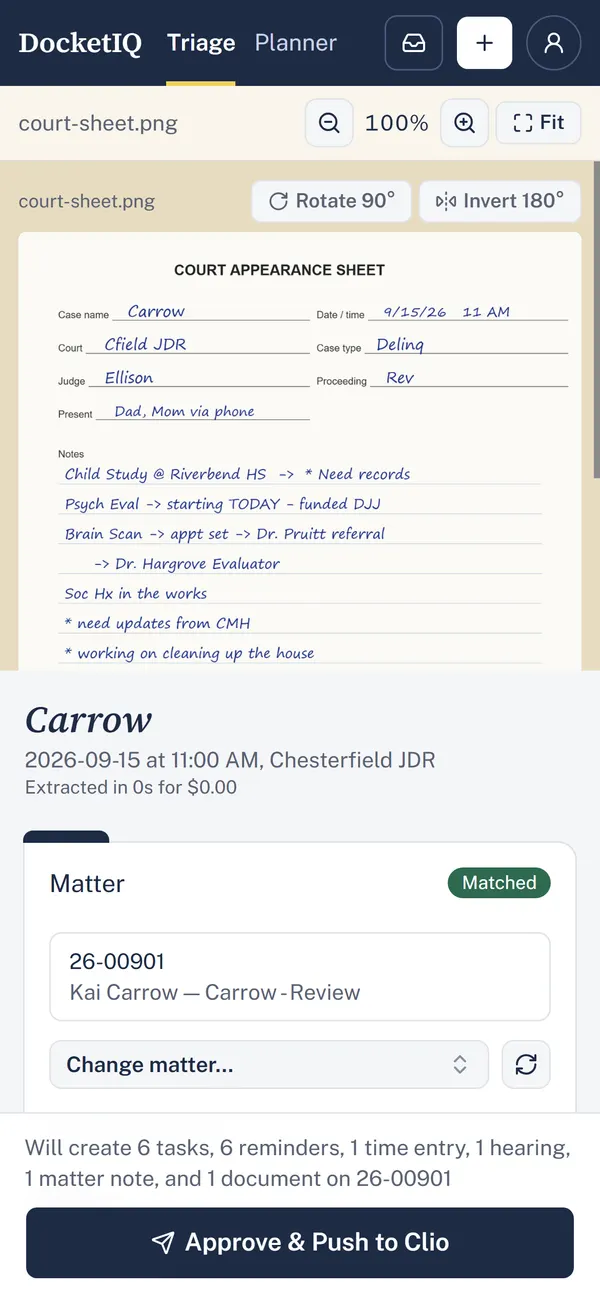
DocketIQ's review screen: a handwritten court note beside the tasks and time entry drafted from it, with Approve & Push to Clio.DocketIQ's review screen on a phone: the court note above the matter it was matched to.

Who it's for

Trial and family law attorneys who use Clio Manage

“I leave court with a page of handwritten notes, and entering it all into Clio takes longer than the hearing did.”

Solo attorneys and small firms

“I need to know what's due this week and when I'll actually have time to do it.”

What it solves

  • Notes that never make it into Clio. Today the next court date, the follow-up tasks, and the billable time sit on paper until someone types them in. DocketIQ reads the note and fills in all of it for you to check.
  • Time that goes unbilled. Court time written on a sheet is easy to lose. DocketIQ drafts the time entry from the note and links it to the hearing on your Clio calendar.
  • Paper that's hard to find later. The original note goes into the matter's documents in Clio as a PDF, named the same way every time.
  • A week with no room to work. The planner finds the free time between court dates and suggests when to do each task.

Features

Triage: from note to Clio

  • Any kind of note: handwritten or scanned pages (court appearance sheets, legal pad notes) and typed or transcribed ones (call summaries), as PDFs or photos.
  • Reads the note for you: AI picks out the next court date, the attorney's tasks and deadlines, the time spent, updates from others, and what the client still needs to provide.
  • Finds the right matter: by the case number on the note, then by what was on your calendar at that time. When it isn't sure, it asks you.
  • You check everything first: the note and the draft sit side by side; change any field before anything is sent.
  • One click to Clio: "Approve & Push to Clio" creates the tasks with reminders, the time entry, the next hearing on your calendar, a matter note, and the original note as a PDF in the matter's documents.
  • Filed in Clio stamp: each finished note is marked with a "Filed in Clio" stamp, so you can see at a glance what's done.
  • Hearing titles your way: hearings are titled in your own style, with your court abbreviations.
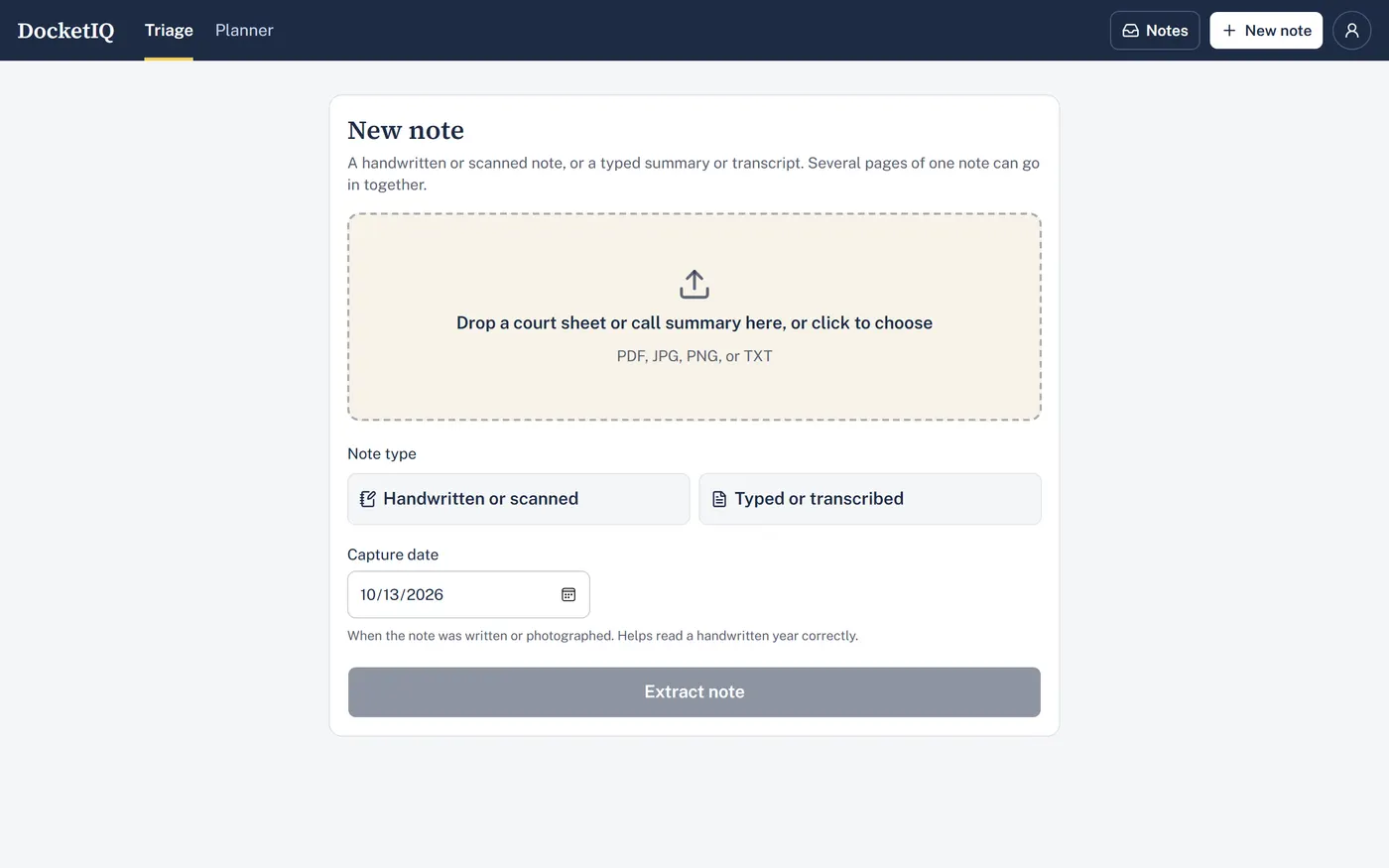
DocketIQ's New note screen: drop a court sheet or call summary, choose handwritten or typed, and Extract note.

On your phone

  • Add it to your Home Screen: it opens straight to Triage, full screen.
  • Take photos of each page: reorder or remove pages before sending.
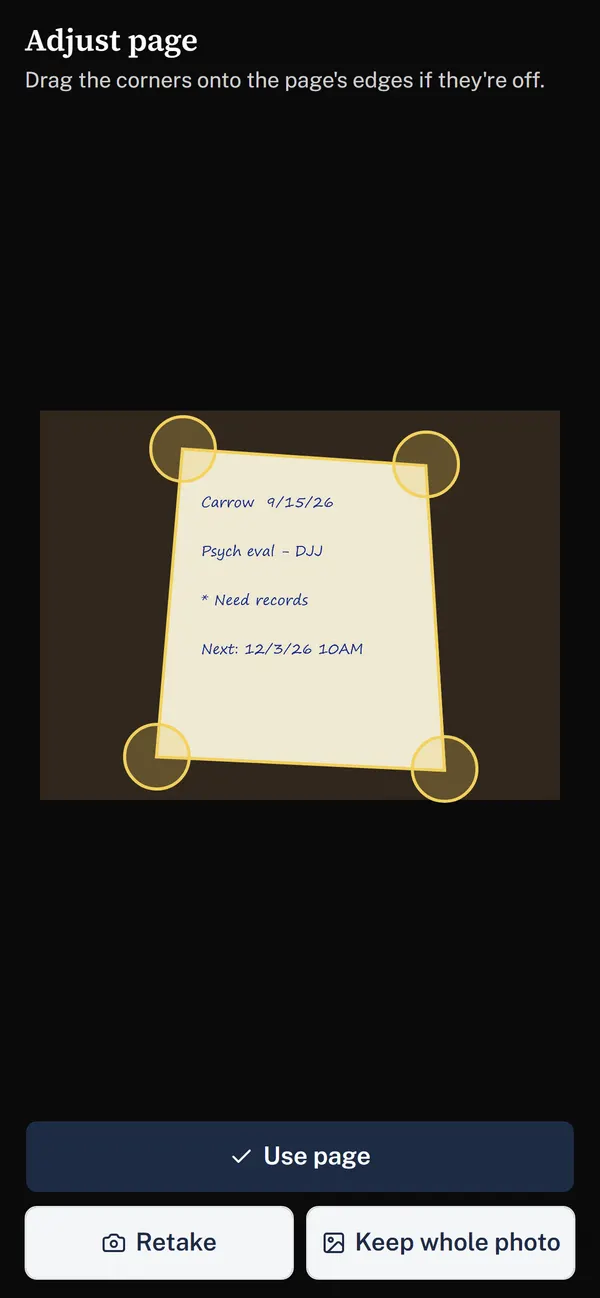
  • Photos that look scanned: DocketIQ finds the page in the photo, straightens it, crops it, and cleans it up to white paper and dark ink. Drag the corners if they're off.
  • Your location stays on your phone: photo location data is removed before upload.
DocketIQ's Adjust page screen on a phone: a photographed handwritten note with a corner handle on each of its four corners.

Weekly planner

  • Your week from Clio: your calendar and every open task assigned to you, in one view.
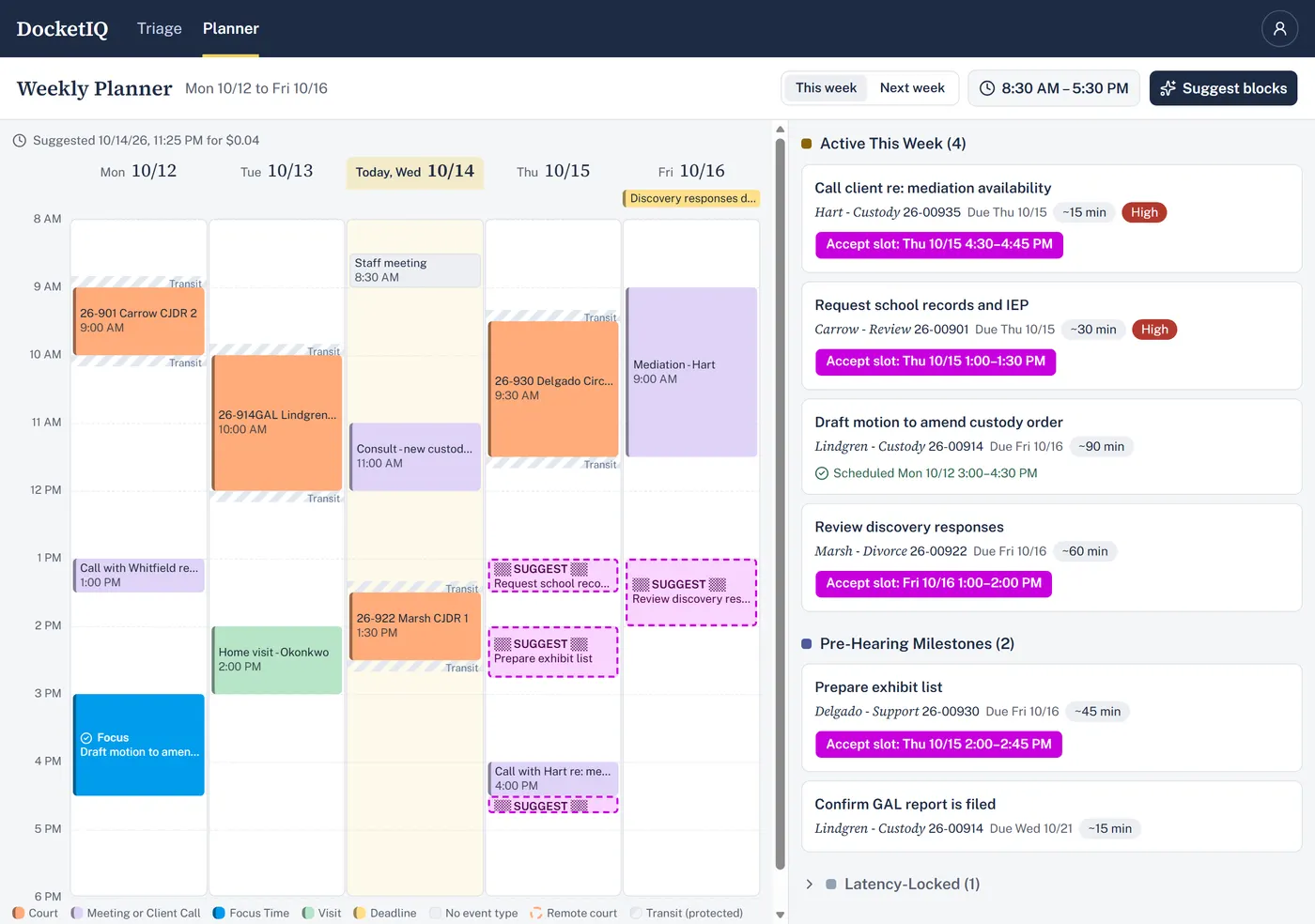
  • Suggested work time: DocketIQ suggests focus blocks for your tasks in your free time, within your working hours, with travel time around court. Accept one and it's added to your Clio calendar.
  • Ignore when planning: mark a calendar entry as free time without deleting it.
DocketIQ's weekly planner: the week's court dates and meetings, an accepted focus block, suggested work times, and the open tasks beside them.

Privacy and security

  • Clio keeps the record: once a note is filed in Clio, DocketIQ deletes its own copy after 7 days (you choose 1 to 90 days), or right away with "Purge now."
  • Two-step sign-in: a password plus a code from an authenticator app, or a passkey. Recovery codes if you lose your phone.
  • Nightly backups, encrypted.
  • Light and dark themes, or match your device.

Where to get it

On the web at https://docketiqapp.com, on a computer or a phone. Not open to new firms yet.